

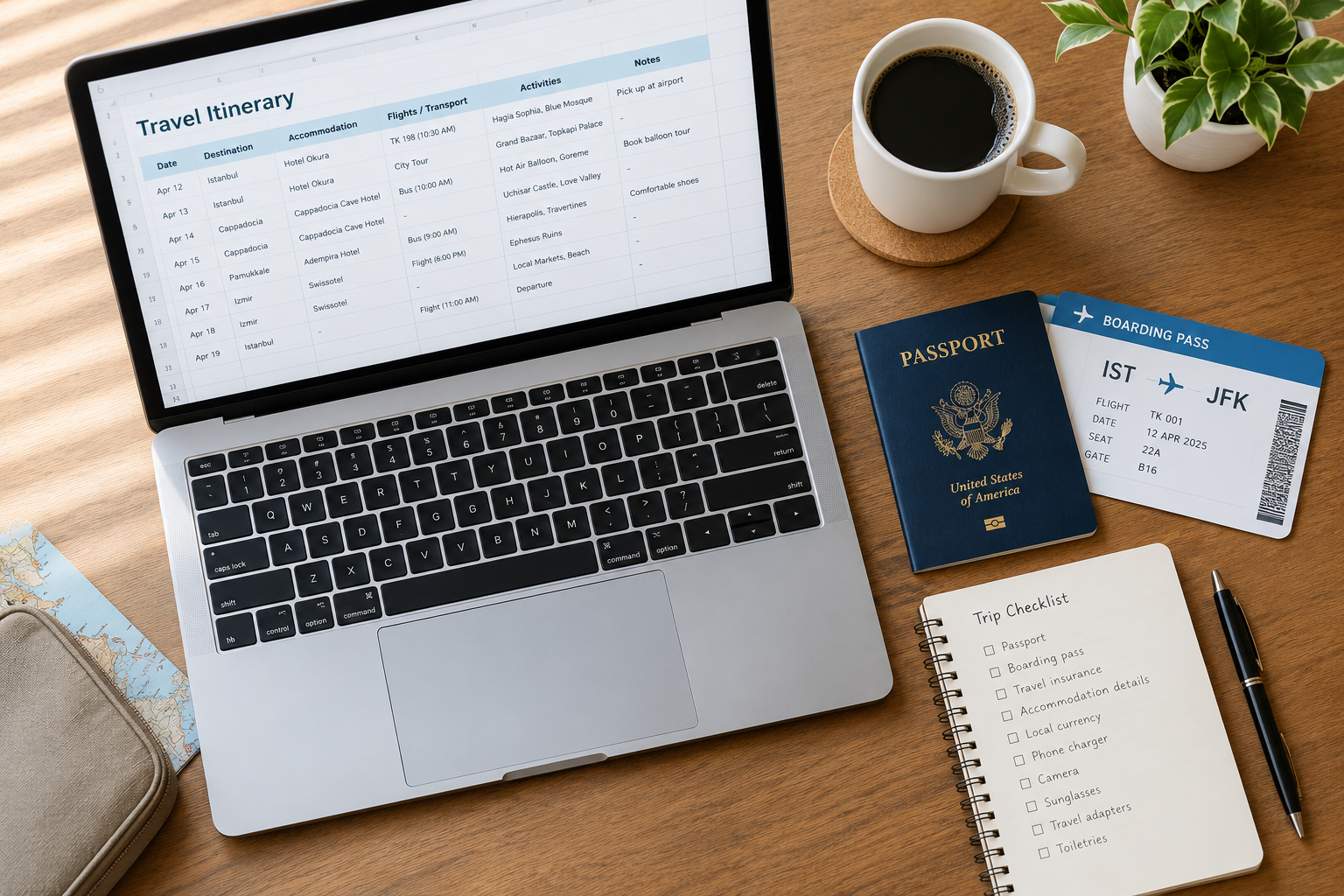
I used to spend two or three hours before every trip building the same spreadsheet from scratch. Copy-pasting hotel addresses from my inbox. Re-typing flight numbers I’d already typed into three other apps. By my third trip in a single year, I had five half-finished itinerary files scattered across my Drive, and none of them had the one thing I actually needed the morning I landed: a single page with my hotel address and today’s plan.
So I built one template and stopped rebuilding it every time. Below are free copies you can grab right now — Google Docs, Google Sheets, and Word — plus a step-by-step guide if you’d rather build your own from scratch.
What Makes a Good Travel Itinerary Template
Before you download anything, it helps to know what you’re actually trying to build. A travel itinerary isn’t a minute-by-minute schedule — nobody needs “9:14 AM: walk to metro station.” It’s an organizing tool that keeps four things in one place so you’re not digging through seven email threads at the airport.
Daily overview. Date, city or neighborhood, and 3–5 main activities per day. That’s it. Leave room for the coffee shop you stumble into that isn’t on any list.
Logistics block. Flight and train confirmation numbers, hotel check-in times, addresses, and emergency contacts. Unglamorous, but it’s the section that saves your trip when a flight gets cancelled.
Budget section. Estimated vs. actual cost per category — accommodation, food, activities, transport. You don’t need this to be exact. You need it to catch “wait, why did I spend $40 on gelato” before your bank statement does.
Quick-reference info. WiFi passwords, local emergency numbers, a key phrase in the local language, your Airbnb lockbox code. The stuff you need at 6 AM before your brain is fully online.
Every template below covers all four. Pick the format that matches how you actually plan trips.
Benefits of Using an Itinerary Template
Ever landed somewhere new and realized you had no idea where your hotel actually was, or what time your connecting flight left? That’s usually a sign the plan lived in your head instead of on paper — and it falls apart the moment you’re jet-lagged.
A template fixes that in a few concrete ways:
- You stop re-solving the same problem. Once you have a structure that works, you reuse it every trip instead of building a new spreadsheet from zero each time.
- Everyone on the trip sees the same plan. No more “wait, what time is the train?” texts at 7 AM. Share the link and everyone’s looking at the same version.
- You catch conflicts before they cost you money. Booking a sunset boat tour the night before an 8 AM ferry is an easy mistake to make when your plan lives across six different apps. It’s obvious the moment it’s all on one page.
- You actually use your budget instead of guessing at it. Estimated-vs-actual columns turn “I think I have enough money left” into a number you can check in five seconds.
- Nothing depends on your memory at 6 AM. Confirmation numbers, addresses, and WiFi passwords are exactly where you left them, not buried in an email you can’t find on 5% battery.
Types of Travel Itineraries
Not every trip needs the same kind of itinerary. Broadly, they fall into four categories:
Personal travel itinerary. The most common type — vacations and solo trips where you’re organizing flights, hotels, and daily activities across multiple days. This is what most of this guide focuses on.
Business itinerary. More formal, built around meeting times, client dinners, and conference schedules rather than sightseeing. The logistics block matters more here than the “fun activities” section — flight numbers, hotel confirmation, and meeting addresses need to be exact.
Event itinerary. Used for a single occasion — a wedding weekend, a birthday trip, a bachelor or bachelorette party. The focus shifts to time slots and locations within one or two days rather than a multi-day travel schedule.
Group travel itinerary. Built for trips with several people, where sharing the plan matters as much as the plan itself. A shared Google Sheet or Doc means everyone can see updates in real time instead of forwarding the “final final v3” version by email.
The templates below are built around personal travel, but the structure — daily overview, logistics, budget, quick reference — works for all four. Swap “activities” for “meetings” and you have a business itinerary; swap it for “ceremony, reception, breakfast” and you have a wedding weekend timeline.
Free Travel Itinerary Template — Google Sheets
This is the version I use for anything longer than a weekend, because it’s collaborative, it auto-saves, and it handles budget math without you doing it by hand.
What’s included:
- Daily Itinerary tab — Day, date, time, activity, location, and notes, laid out so you can scan a whole day at a glance
- Budget Tracker tab — Estimated vs. actual cost by category, with the difference and running total calculated automatically
- Packing List tab — A checklist with a Yes/No dropdown so you can tick items off as you pack
- Quick Reference tab — Hotel details, emergency numbers, embassy contact, insurance policy number, flight confirmations
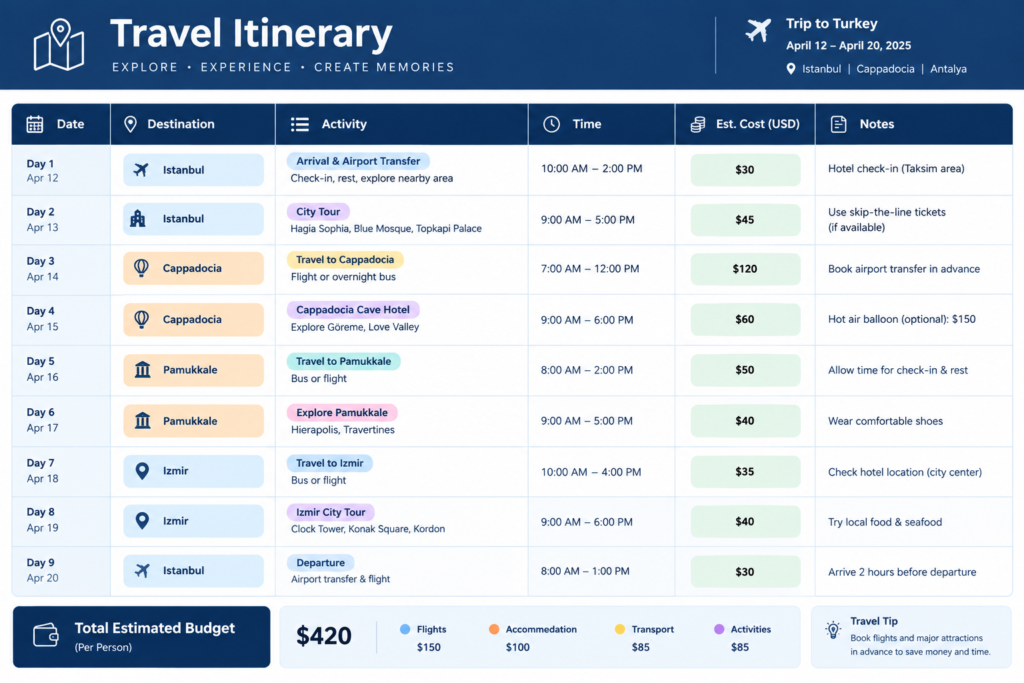
Get the template: Make a copy of the Google Sheets template
How to customize it:
- Click the link above — it opens a copy in your own Drive, nothing to request access for.
- Rename the file with your destination and dates.
- Fill in the Daily Itinerary tab first, then come back for budget and packing.
- Share the sheet with anyone traveling with you and give them edit access — everyone sees updates live.
Pro tip: add a column for Google Maps links next to each activity. Copy the share URL for a restaurant or attraction straight into the cell. When you’re standing on a corner trying to find the place, one tap gets you there.
Free Travel Itinerary Template — Google Docs
If spreadsheets stress you out, use this instead. It’s a clean, printable document — better for people who want to read their day like a plan, not a table.
What’s included:
- Day-by-day sections with Morning / Afternoon / Evening blocks
- A trip overview table (destination, dates, travelers, trip type)
- A budget estimate table
- Emergency and quick-reference info
- A packing checklist at the bottom
Get the template: Make a copy of the Google Docs template
When to use Docs instead of Sheets: if you want something simple enough to print and fold into a pocket, or if you’re planning a short weekend trip and don’t need budget formulas, Docs is the faster option. For multi-day trips with a shared budget, use the Sheets version above instead.
Pro tip: print this before you leave. Phones die at the worst possible moment — usually right as you’re trying to find your hotel at 11 PM in an unfamiliar city. A folded printout in your bag is free insurance.
Free Travel Itinerary Template — Excel / Word
You don’t need a separate template for Microsoft Office. Both templates above convert cleanly:
- Open the Google Sheets template → File → Download → Microsoft Excel (.xlsx)
- Open the Google Docs template → File → Download → Microsoft Word (.docx)
All the formulas, tables, and formatting carry over. This is the option if you work offline often, your company only supports Microsoft Office, or you just prefer a desktop app.
Which Format Should You Use?
| Format | Collaborative? | Budget Tracking? | Works Offline? | Best For |
|---|---|---|---|---|
| Google Sheets | Yes | Yes (automatic) | No — needs WiFi | Multi-day trips, group travel |
| Google Docs | Yes | Basic | No — needs WiFi | Short trips, printable plans |
| Excel / Word | Email only | Yes | Yes | Frequent flyers without reliable WiFi |
If you’re not sure, start with Google Sheets. It’s the one that scales from a weekend trip to a two-week itinerary without you needing to change tools halfway through.
How to Build a Travel Itinerary From Scratch
Prefer to build your own instead of using a template? Here’s the same structure, step by step.
Step 1 — Start with dates and destination. Open a blank sheet or doc and set up columns for Date, Day number, Location, and (optional) Weather. Fill in your trip dates before anything else — everything downstream depends on this.
Step 2 — Block out logistics first. Flight times, hotel check-in/check-out, and any pre-booked tours go in before you plan anything fun. Everything else has to fit around these — you can’t plan a sunrise hike if your flight lands at midnight, and you can’t book a late checkout if your next hotel needs you there by 2 PM. Lock these in, then build around them.
Step 3 — Add three activities per day, not seven. One morning activity, one afternoon activity, one evening plan. That’s it. A day might look like:
- Morning: Main landmark or museum
- Afternoon: Neighborhood walk or a second, smaller sight
- Evening: Dinner reservation or a specific bar
Leave gaps between them. The best travel memories usually come from the café you wandered into, not the fourth museum you rushed through to stay on schedule.
Step 4 — Add a budget column. Estimated cost next to actual cost, by category: accommodation, food, activities, transport, shopping. Add a 15–20% buffer at the bottom for the things you didn’t plan for — the second gelato, the souvenir you didn’t know you wanted, the taxi you take because your feet gave out. If you’re traveling with others, note the budget in whichever currency you’ll actually be paying in to avoid last-minute conversion confusion.
Step 5 — Add a quick-reference section. Hotel address and WiFi password, emergency contacts, a couple of useful local phrases, and how to buy a metro ticket. This is the section you’ll screenshot and keep in your phone’s favorites — the stuff you need at 6 AM before your brain is working, not the stuff you need to read in advance.
Step 6 — Decide single-city or multi-city. A single-city trip usually fits on one tab or page. A multi-stop trip — say, a week split across three cities — works better with a separate tab per city, plus one overview tab for flights and inter-city transport, so you’re never scrolling past two other cities’ plans to find today’s.
Tips for Actually Using Your Itinerary
Don’t over-schedule. Three to four activities a day, maximum. You’re not a robot, and you will want to sit somewhere and do nothing for an hour.
Share it with everyone traveling with you. One person holding all the information means everyone else asks “wait, what time is the train?” every twenty minutes.
Add booking links. Direct links to your hotel, restaurant reservations, and tour confirmations make it a one-tap job to check details or rebook if plans change.
Print a one-page cheat sheet. Hotel address, emergency contacts, and key transport info on a single printed page. Your backup plan for when your phone dies.
Update it as you go. The best itineraries change mid-trip. You’ll find a better restaurant, skip the museum that turned out to be boring, and add the bar your host recommended. Keep it open on your phone and treat it as a living document.
Common Itinerary Planning Mistakes to Avoid
Packing every hour with an activity. This is the single most common mistake. A schedule with no gaps looks productive on paper and falls apart by day two, because you’re exhausted, something ran long, or you just want to sit down. Plan for 60–70% of your waking hours, not 100%.
Ignoring travel time between activities. “Museum at 10, lunch at 12, landmark at 1” looks fine until you realize the landmark is 40 minutes from the restaurant. Add a rough travel-time buffer between anything that isn’t within easy walking distance.
Not accounting for opening hours and closed days. Plenty of major sights close one day a week — the Louvre is closed Tuesdays, for example. Check this before you build the day around it, not after you’ve walked there.
Keeping the only copy on your phone. If your phone dies, gets lost, or just runs out of signal, a itinerary that only exists as an app or a cloud document isn’t accessible. Keep a printed backup or, at minimum, a downloaded offline copy.
Overbooking the first day. Jet lag and a long flight mean your first day is rarely your best day. Plan something light and forgiving — a walk, an easy meal — and save the ambitious sightseeing for day two once you’ve slept.
Forgetting to share the plan with everyone traveling. If only one person has the itinerary, that person becomes the trip’s tour guide, translator, and tech support by default. Share the link before you leave, not from the airport.
FAQ
Does Google Docs have a built-in itinerary template?
No. Google Docs doesn’t include itinerary templates in its own template gallery. Use one of the free templates above, or build your own from a blank document following the steps in this guide.
How detailed should a travel itinerary be?
Less detailed than you’d think. You don’t need “9:37 AM: walk to metro.” Block your day into morning, afternoon, and evening chunks with one main activity each, and leave room for spontaneity.
Can I use Google Sheets as a travel planner?
Yes — it’s one of the best free tools for it. It syncs across devices, you can share it with travel companions, and formulas handle the budget math for you automatically.
Do I need an itinerary for a short weekend trip?
Not a detailed one, but even a simple one-page document with your hotel address, arrival time, and two or three things you want to see saves you from decision fatigue when you’re tired. It takes ten minutes to put together.
Can I use these templates for business travel?
Yes. Swap “activities” for “meetings” and “restaurants” for “client dinners.” Keep the logistics block and emergency contacts section as they are — they work the same way for a work trip.
What should a travel itinerary include at minimum?
Dates and locations for each day, accommodation details with confirmation numbers, flight or train info, three to five activities per day, a rough budget estimate, and emergency contacts. Everything else is optional.
How do I convert the Google templates to Excel or Word?
Open either template, then go to File → Download, and choose Microsoft Excel (.xlsx) for the Sheets template or Microsoft Word (.docx) for the Docs template. All formatting and formulas carry over.
Should I make a separate itinerary for each city on a multi-city trip?
For anything longer than a week or spanning more than two cities, yes — use one tab per city plus an overview tab for flights and inter-city transport. For a single-city trip or a short multi-city hop (say, two nights each in two cities), one continuous itinerary is easier to manage than switching tabs.
Can I reuse the same template for every trip? That’s the point of using one. Once you’ve built or copied a template you like, duplicate the file for each new trip instead of starting over. Clear out the old dates and activities, keep the structure, and you’ve cut your planning time from hours to minutes.
Final Thoughts
Pick the format that matches how you actually plan: Google Sheets if you want the budget math done for you, Google Docs if you want something simple and printable, or Excel/Word if you need it offline. However you plan, having everything in one place — instead of scattered across five email threads and a notes app — is the difference between a relaxed trip and a stressful one.
Safe travels, and if your phone dies at 2 AM in an unfamiliar city, at least you’ll have a printed backup in your bag.

Welcome to Urbans Mood! Travel guides and practical destination information designed to help travelers plan their journeys with useful, easy-to-follow advice.